People Recognition
Updated 20.10.2026 6 min read
People recognition is a feature that analyzes the faces in the photos in your gallery and automatically groups the shots by person using artificial intelligence. This lets you and your clients quickly find all photos of a specific person.
This feature is in testing and we keep improving it, so we'd appreciate your feedback.
Features
- Automatically groups photos by face
- Lets you quickly find all shots of one person
- Works separately for each gallery
- The analysis is started manually — you decide when it begins
- You can review the results and run the processing again if needed
Limitations
- Works with photos only
- Processing limit — 2000 photos per gallery
- All scenes count toward the limit, including hidden ones
- Faces recognized in hidden scenes are not shown in the results
- The feature is available on the 100 GB, 500 GB, and 1000 GB plans
- Doesn't recognize a person whose face isn't visible in the frame
- Doesn't identify a person by clothing, silhouette, or from behind
How to enable the feature
To use people recognition, you need one of the plans that support this feature: 100 GB, 500 GB, or 1000 GB.
Your current plan is shown in the left menu next to your name, and you can change it in the “Subscription” section (in the menu under your name).
Once the right plan is active, you can turn the feature on in a gallery: “Settings” tab → “General” → “Client view” block → the “People recognition” toggle. If your plan doesn't support it, you'll see a note about this there and a “View plans” button.
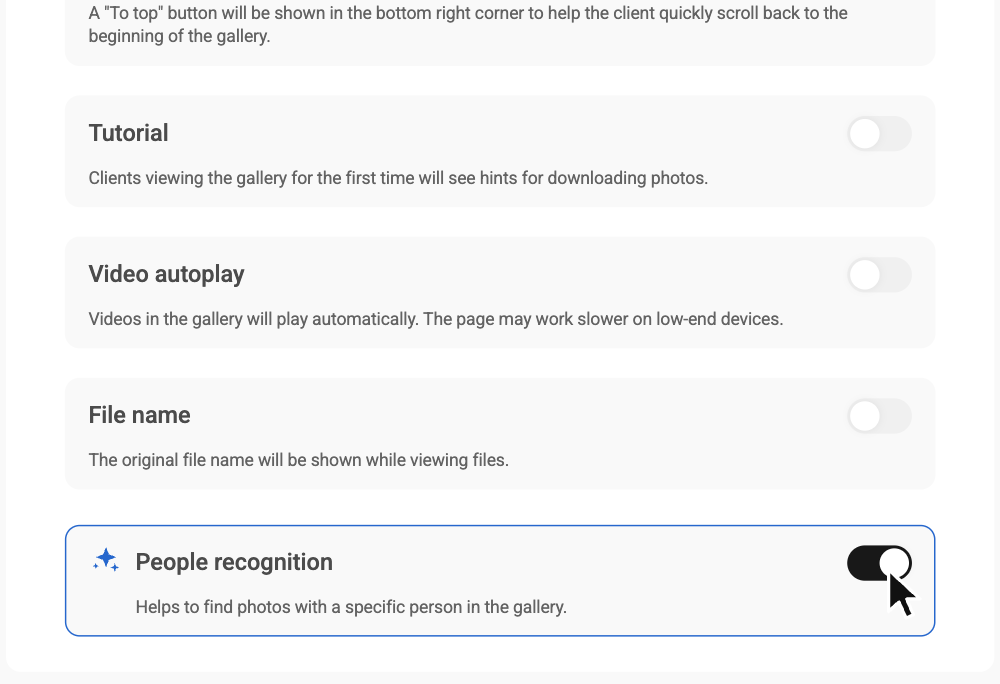
How to start recognition
- Open the gallery you need in the “Galleries” section — the “Files” tab.
- Above the file list, next to the “Upload file” button, click “Group by face”.
- Confirm in the “Start people recognition?” window by clicking “Start”.
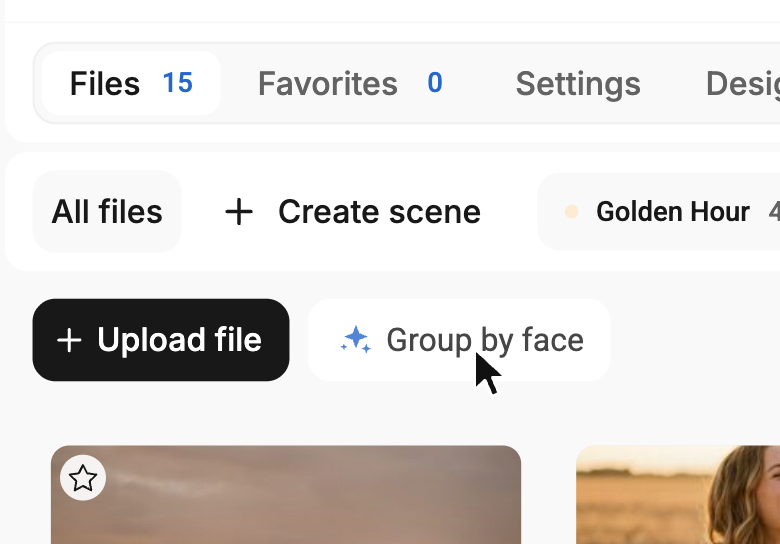
After you click the button, the system checks the gallery and starts the analysis. In place of the button, you'll see “Analyzing...” with a progress bar and the number of processed photos. The processing time depends on the number of photos and the faces in them.
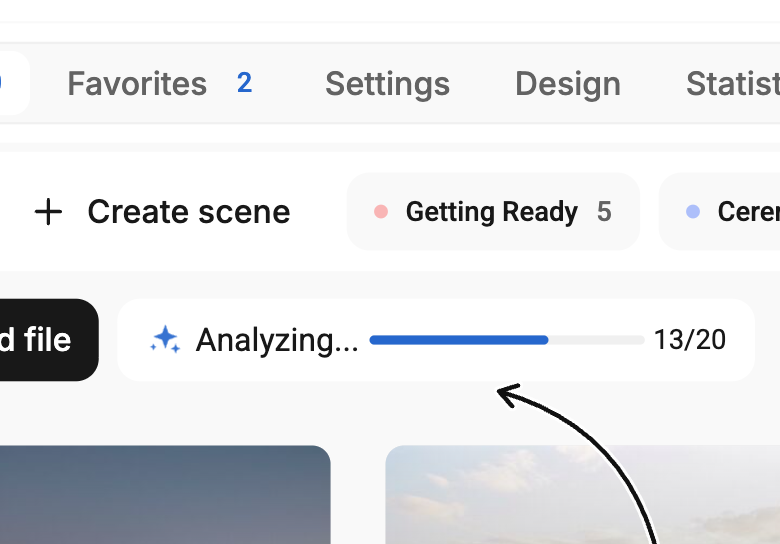
While processing is underway, you can keep working with the gallery, view photos, or go to other sections — the analysis runs in the background.
Viewing the results
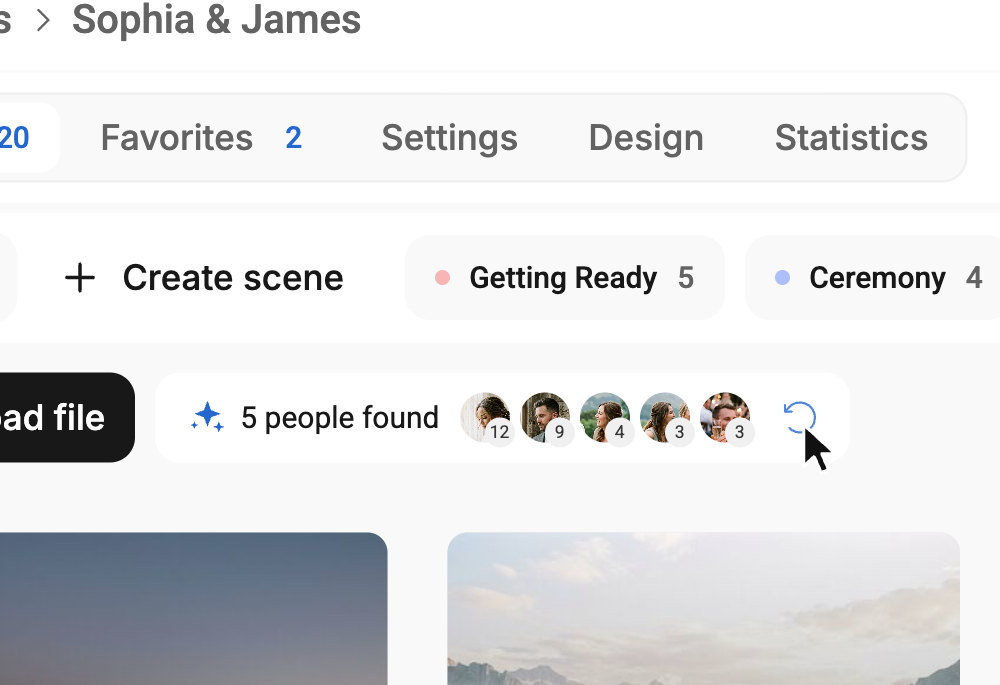
When the analysis is complete, “N people found” and round photos of the people found will appear above the files. Each person's photo shows the number of photos in which that person was detected.
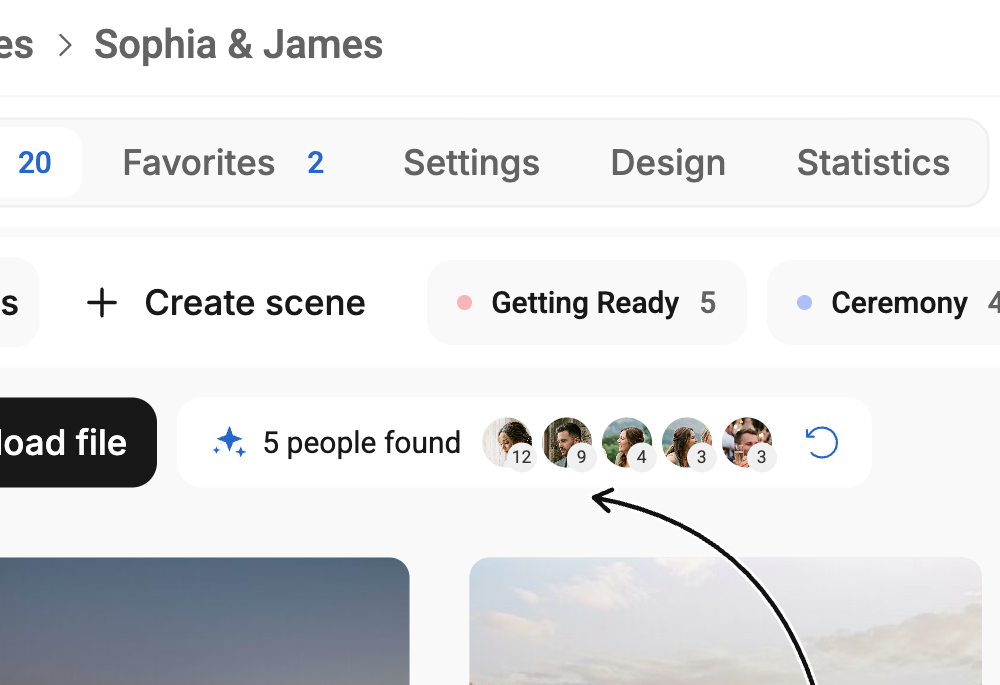
Click a person's photo to see all the photos in which they were recognized.
If a photo has several people in it, it will appear in the results for each of them.
Restarting or deleting the results
If you've added new photos or want to run the analysis again, click the ↻ “Restart recognition” button to the right of the people's photos and confirm in the window. The previous results will be replaced with new ones.
If no people are found
If no faces were recognized in the photos, there will be no people in the results. You can run the analysis again, for example after you add new photos.
This can happen if:
- there are no people in the photos;
- the faces are too small or blurry;
- the faces were shot at a sharp angle or are partially covered.
Errors and common situations
If processing fails, “Recognition failed. Try again” will appear above the files. If the analysis can't be started, you'll see a message with the reason. The most common cases:
- The gallery is too large for recognition — the limit of 2000 photos has been exceeded. To process such a gallery, temporarily remove some of the photos or create a separate gallery.
- Recognition is already running — you can't start a new analysis until the previous one has finished.
- There are no photos to recognize — add photos before starting.
- Feature unavailable — your plan doesn't support recognition. Upgrade your plan in the “Subscription” section.
Frequently asked questions
When do the recognition results appear?
The analysis starts right after you confirm the start. The processing time depends on the number of photos and the faces in them. While processing is underway, the progress is shown above the files. Meanwhile, you can do other things with the gallery — you don't need to keep it open.
Why does one person sometimes appear as several different people?
This can happen with difficult angles, profile shots, or when a person appears in only a few photos. The more varied shots of one person there are in the gallery, the more accurately the system groups them together.
Why did recognition pick up a poster, portrait, or reflection?
The system analyzes any facial features in the frame. That's why faces on posters, paintings, screens, or in reflections can also be detected as separate people.
Why is the feature unavailable to me, even though the gallery has only a few photos?
The feature depends not only on the number of photos but also on your plan. Make sure one of the supported plans is active: 100 GB, 500 GB, or 1000 GB.
Are videos and RAW files processed?
Videos aren't processed and are skipped during the analysis. RAW files are processed just like regular photos.
How does the feature work with hidden scenes?
Photos from hidden scenes count toward the overall limit of 2000 photos per gallery, but aren't shown in the recognition results. So if a person appears only in a hidden scene, they won't be among the people found. If they appear in both visible and hidden scenes, only the shots from visible scenes will be shown in the results.
Can I delete the recognition results?
Yes. Click ↻ “Restart recognition” — the previous results will be replaced with a new analysis. If you delete the whole gallery, the recognition results are deleted along with it.
Can my clients see the results?
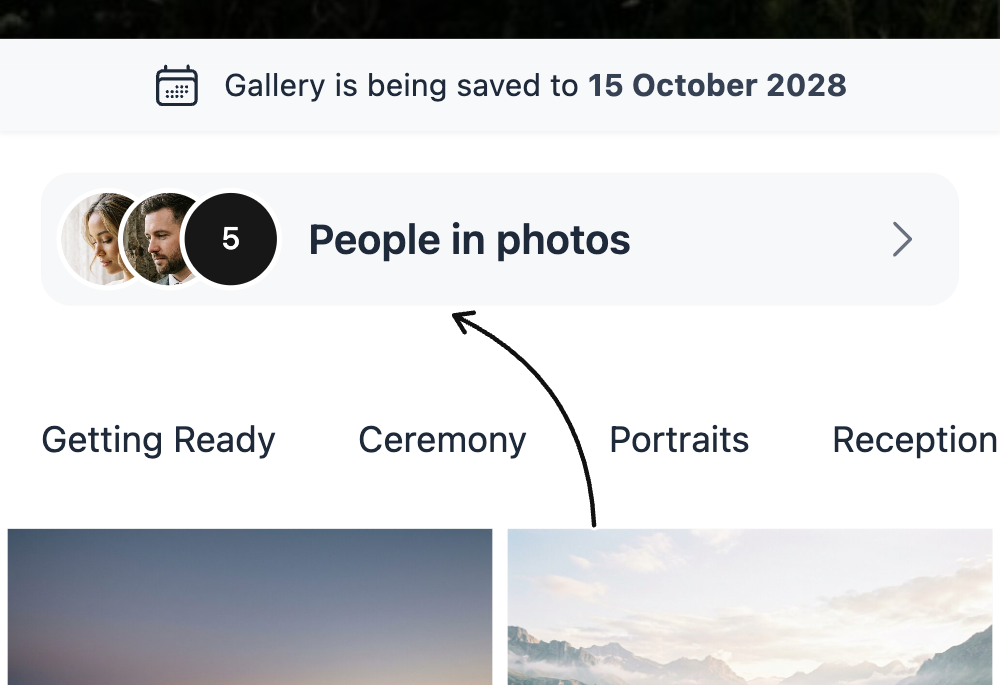
Clients who have access to the gallery see the same groups of people and can filter photos by the person they need — using the “People in photos” button in the gallery.
Can my client or I download photos of a specific person?
Yes. Just as with scenes or favorites, you can download the photos of a specific person once you've opened them in the gallery: on that page, click the “Download” button and the download will start.
Are my photos sent to other services?
No. We don't send your photos to other services for people recognition to work. We perform all operations on our own servers with our own tools, so your data isn't shared with third parties.