Messages don't arrive or you get spam
Updated 09.11.2026 3 min read
Messages don't arrive
Check in turn:
- Is the page with the form published? Visitors can't see drafts. The page status is shown in the editor next to its name.
- Send a test message from the published site, ideally from your phone.
- Did it appear in the “Messages” section of the site settings?
- Yes, but it didn't arrive by email or in Telegram — the problem is with the notification, see below.
- No, and “Couldn't send. Please try again.” appeared under the form — see the next section.
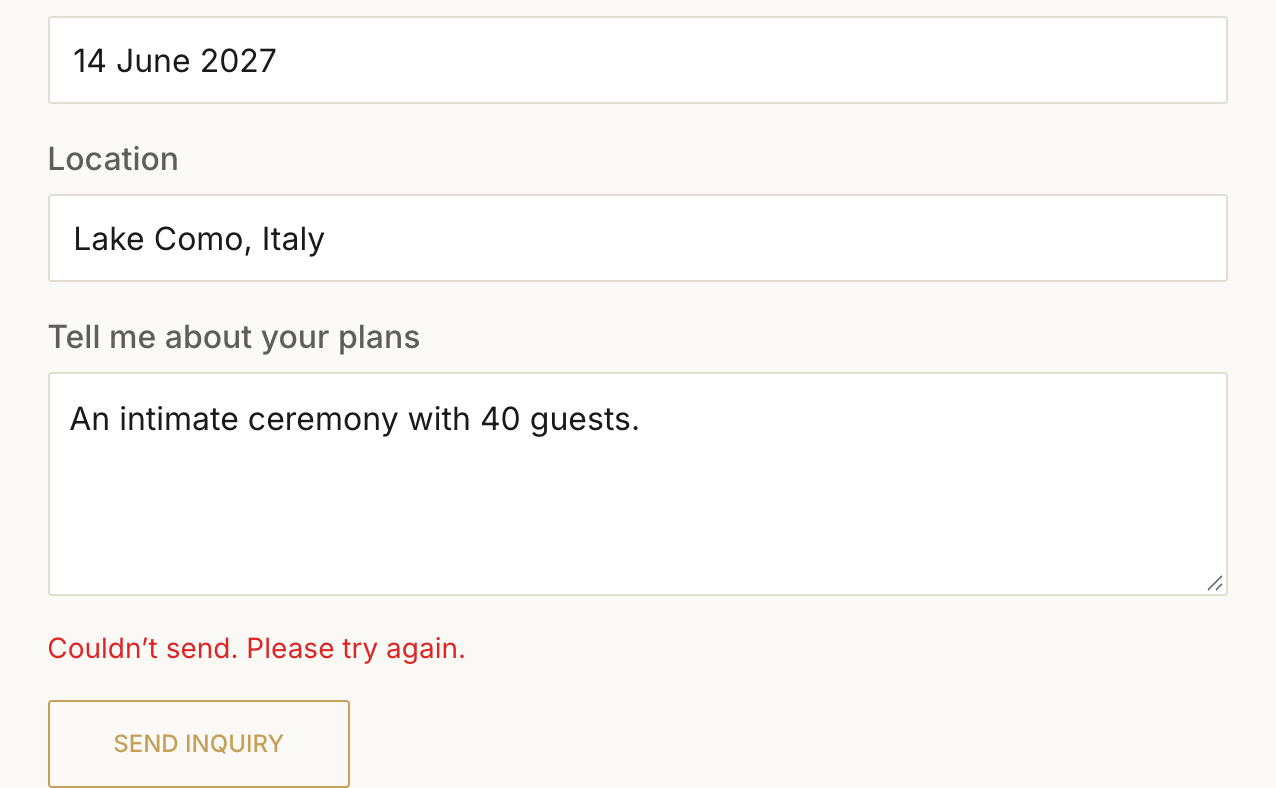
The form doesn't depend on email or Telegram: the message is always saved, and notifications are sent in the background within seconds. The “Couldn't send” error is never caused by notifications.
“Couldn't send. Please try again.”
- Too many messages in a row. Up to 10 messages per minute can be sent from one address, and up to 30 per hour to the whole site. After a pause the form works again. These limits don't get in clients' way — people run into them when testing the form many times in a row.
- Text that's too long. One field holds up to 5,000 characters.
- Internet problems on the visitor's side — it's worth trying again later.
If a required field is empty, the browser highlights it and the form isn't sent — that's expected.
No email or Telegram notification
If a notification didn't get through, the message in the “Messages” section shows a red “Not delivered” line with the reason, and the channel button has a red dot. The reason is also shown in the channel's window.
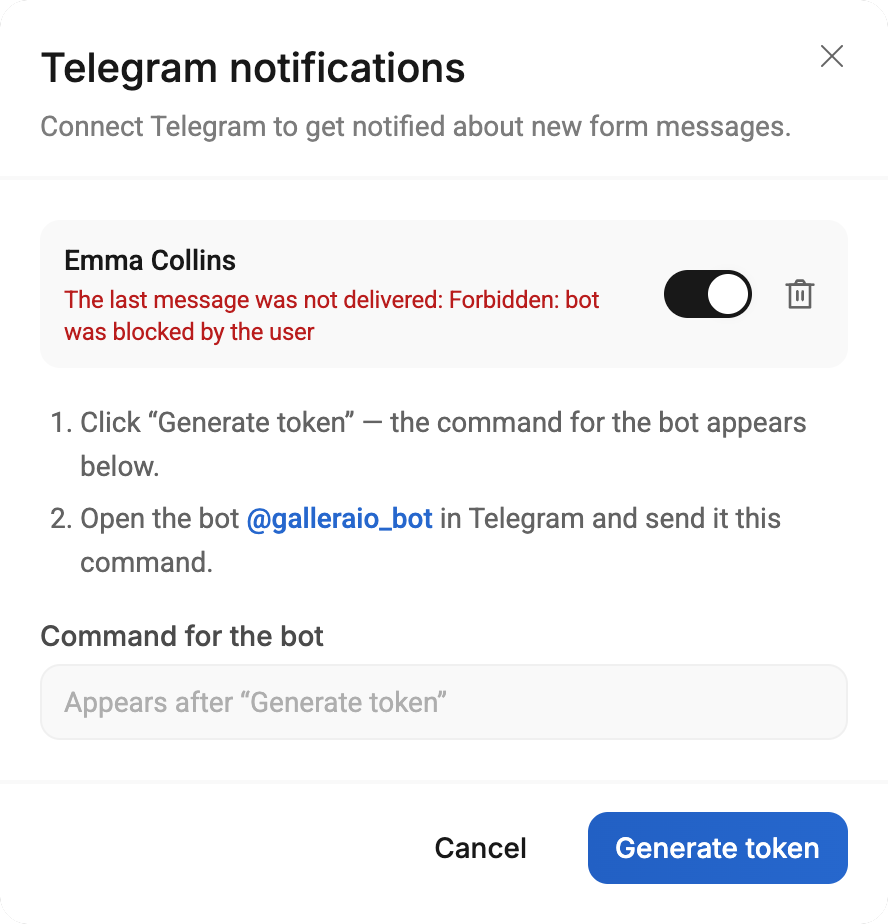
- Telegram: “bot was blocked by the user” — the bot is blocked. Unblock it in the chat with the bot or connect Telegram again. See Telegram notifications about new messages.
- Telegram: no notifications and no error — check that the switch next to the chat is on.
- Email: no email — check “Spam” and “Promotions”, and in the “Email” window check that emails are on and the address is correct. See Messages by email.
If Telegram or the email service is temporarily unavailable, Gallera retries on its own: up to 3 attempts in total — the second a minute later, the third 5 minutes after that.
Test messages
A message sent from “Preview” in the editor is real: it appears in “Messages” and arrives by email and in Telegram. After testing, just delete it with the trash can.
Spam
The form is protected from bots:
- it has a hidden field that only bots see and fill in — such messages are discarded;
- the number of messages is limited: up to 10 per minute from one address and up to 30 per hour per site.
There's no captcha in the form yet. If spam still gets through, delete those messages with the trash can and write to us — we'll help.