Telegram notifications about new messages
Updated 22.10.2026 3 min read
Connect Telegram, and every new message from your site reaches you within seconds as a message from the Gallera bot. This adds to emails, which arrive without Telegram too.
How to connect
- In your account, open the site settings → “Messages” and click “Connect telegram”.
- In the window, click “Generate token”.
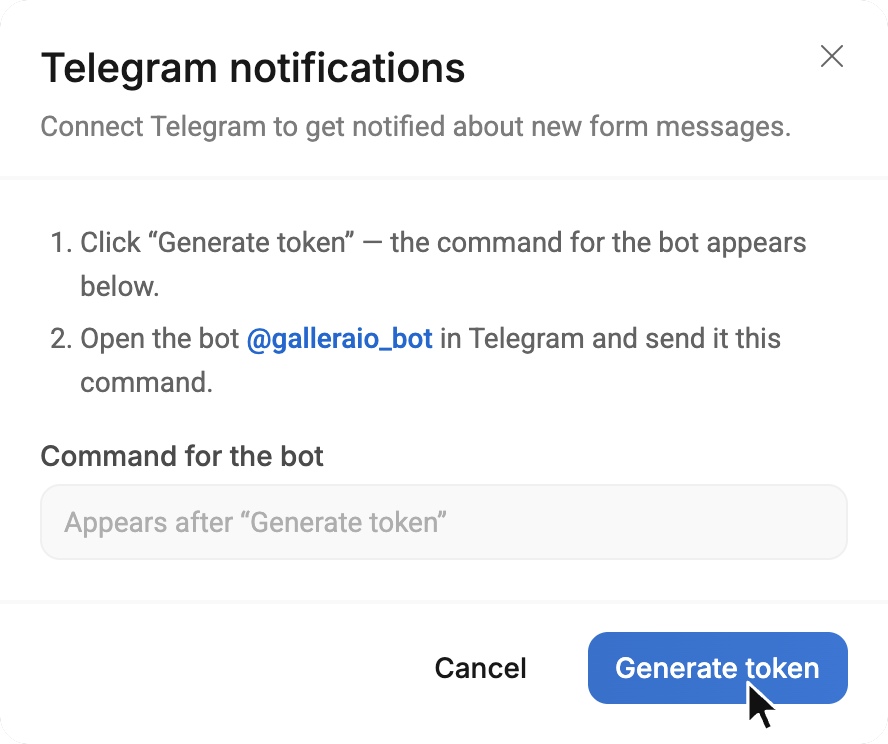
- The command
/start st…appears in the “Command for the bot” field. Click@galleraio_botin the window — Telegram opens the bot. Press “Start” there — the command is sent automatically.
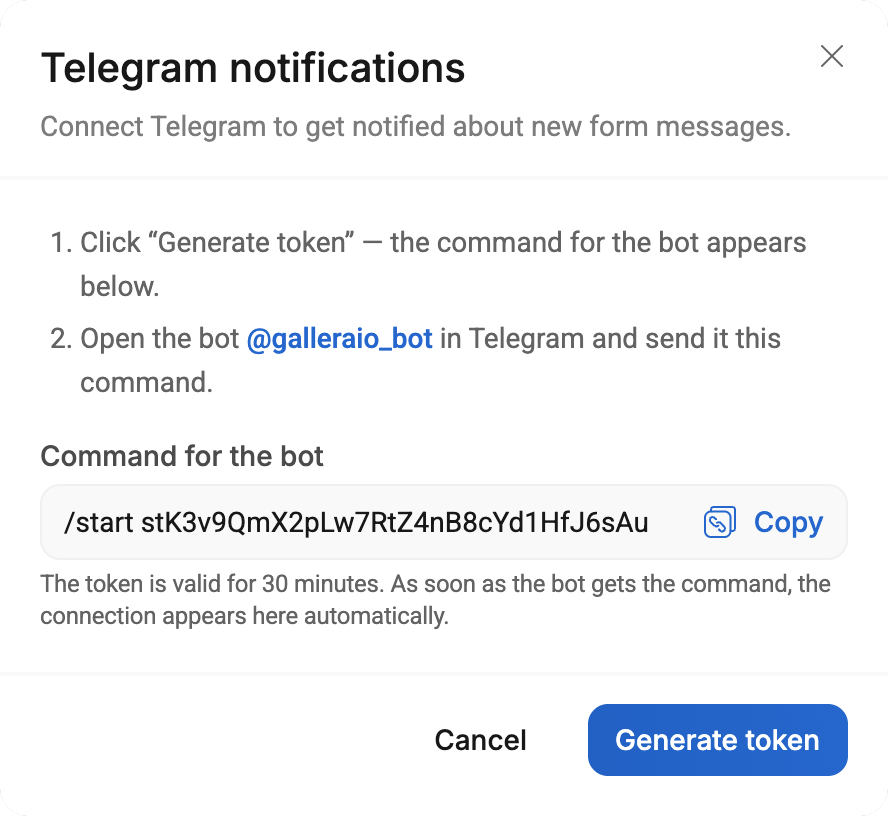
If there's no “Start” button, click “Copy” next to the command and send it to the bot as a regular message.
- The bot replies “Done! Notifications about new site messages are connected ✅”, and your chat appears in the window.
A token works for 30 minutes and for one connection. If you run out of time, generate a new one.
Once Telegram is connected, the “Messages” section shows a “Telegram” button with a green dot instead of “Connect telegram” — it opens the same window.
What a notification looks like
New request from “Everlasting Moments”
Page: /inquiry

Your names: Sophie & James
Email: [email protected]
Wedding date: 14 June 2027
Empty fields aren't included. Notifications come in the language of your Gallera account.
Several recipients
Messages can reach several people, such as you and your assistant. Generate another token in the same window and pass the command to the person who should receive messages: they send it to the bot from their own Telegram.
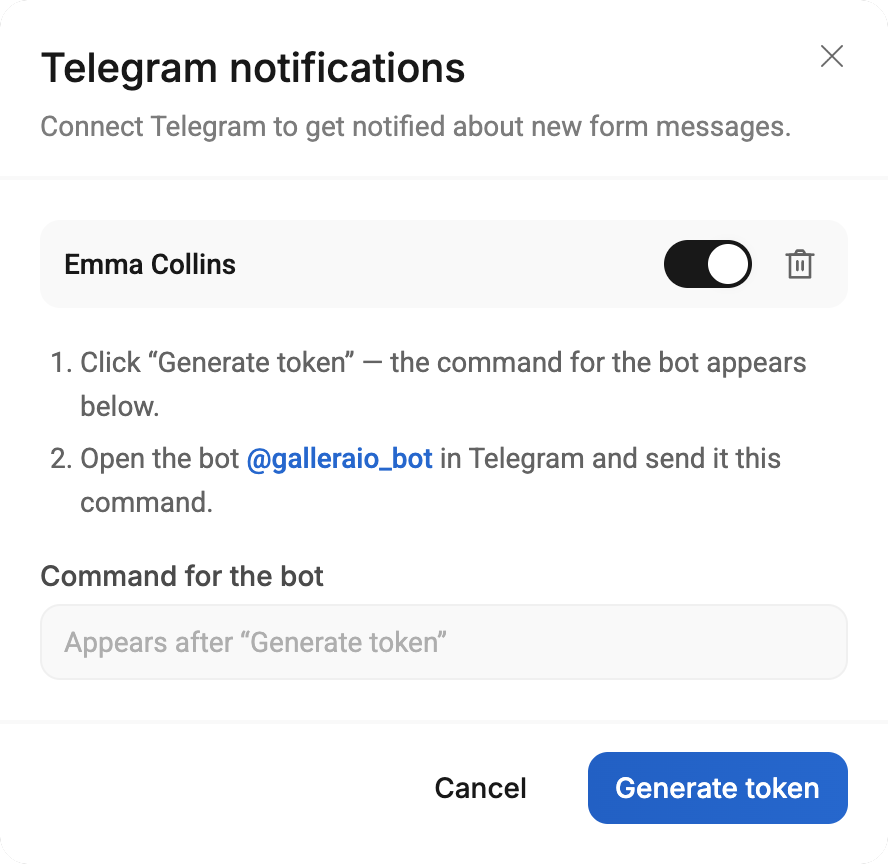
The “Telegram notifications” window lists all connected chats:
- switch — temporarily turn notifications for the chat off or back on;
- trash can — disconnect the chat.
If something doesn't work
- The bot replies “The token is invalid or expired” — the token's 30 minutes are up or it was already used. Generate a new one.
- Notifications don't arrive — look at the “Telegram” button in the “Messages” section. If the dot is red, the last notification didn't get through, and the reason is shown under the chat in the “Telegram notifications” window.
- “bot was blocked by the user” — the bot is blocked in Telegram. Unblock it in the chat with the bot (or press “Restart”). If that doesn't help, delete the chat in the window and connect Telegram again.
- The switch next to the chat is off — notifications aren't sent to this chat; turn it on.
- If Telegram is temporarily unavailable, Gallera retries on its own: up to 3 attempts in total — the second a minute later, the third 5 minutes after that.
- A message is always saved in the “Messages” section, even if the notification didn't arrive.
Learn more in Messages don't arrive or you get spam.