Where to find messages from your site
Updated 09.11.2026 3 min read
All messages from the forms on your site are kept in your Gallera account.
Where to find messages
- Open the “Websites” section and click the site card.
- Go to the “Messages” section.
If the list of sites is shown as rows, sites with unread messages show “new messages: N”.
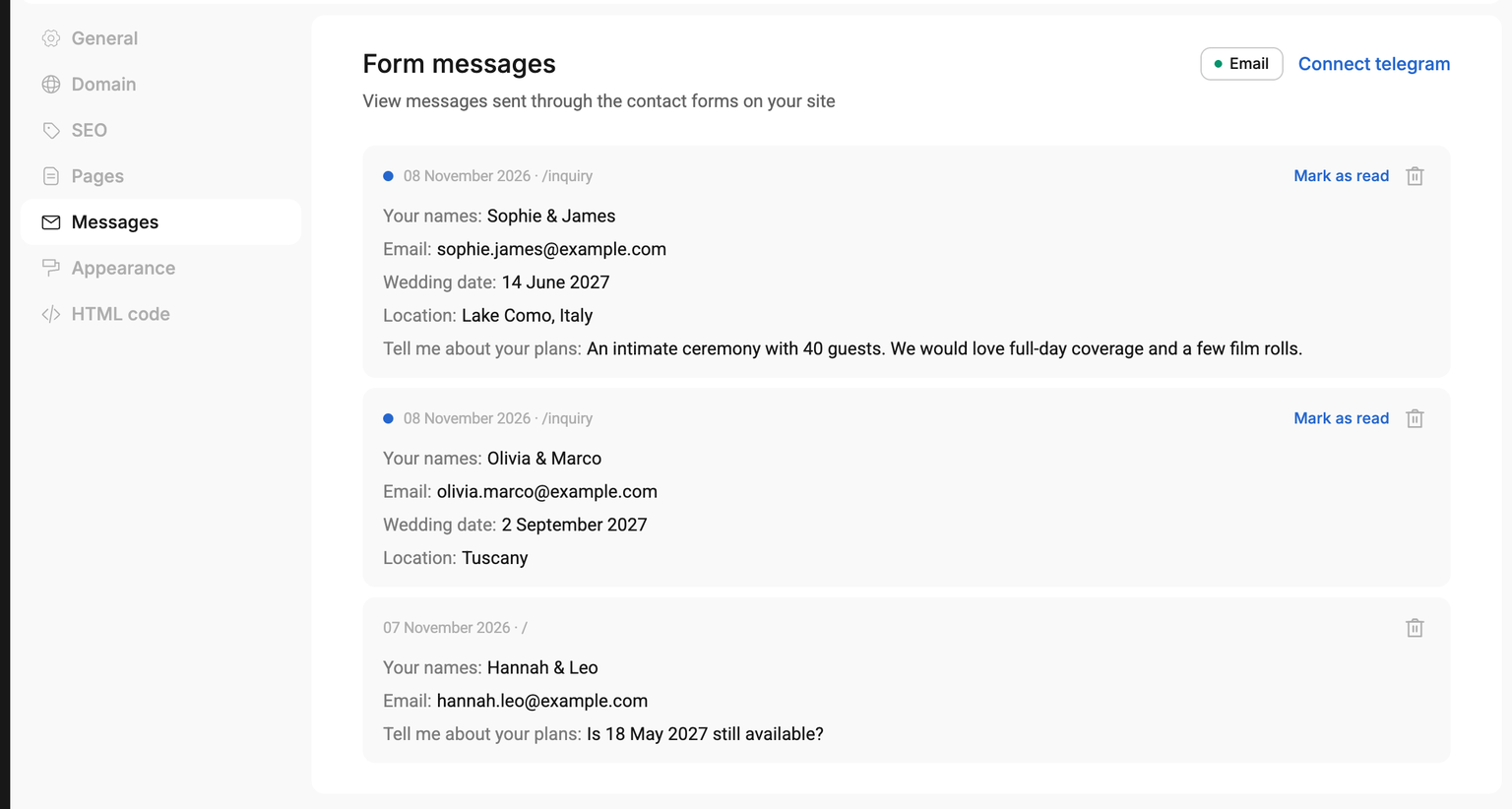
What a message contains
- the date and the page of the site it was sent from;
- all filled-in fields — under the labels used in the form;
- for a site in several languages, also the page language, such as
EN.
New messages are marked with a blue dot, and the newest are at the top.
- “Mark as read” — remove the new-message mark.
- Trash can — delete the message. You'll be asked “Delete message?” first. A deleted message can't be brought back.
- “Show more” — the next 25 messages.
Reply to the client by phone, in a messenger or by email — their contacts are in the message itself. The sooner you reply, the better your chances of a booking.
Notifications about new messages
Every new message also creates a notification in your account — “New request from “Site name”” with the first filled-in fields, such as the name and contact. You'll find it in “Notifications” in the sidebar, on the “Client actions” tab; the “View” button opens the site's “Messages”.
At the top of the “Messages” section are the notification channel buttons:
- “Email” — emails about new messages. It's on by default and sends to your account email. See Messages by email.
- “Connect telegram” or “Telegram” — notifications in Telegram. See Telegram notifications about new messages.
The dot on a button shows the channel's state: green — notifications are coming, grey — turned off, red — the last message to this channel couldn't be delivered.
If a message couldn't be delivered
Notifications are sent in the background, so the form on your site never shows an error because of email or Telegram — the message is always saved here. If the email or the Telegram message didn't get through, the message shows a red “Not delivered” line with the channel name and the reason.
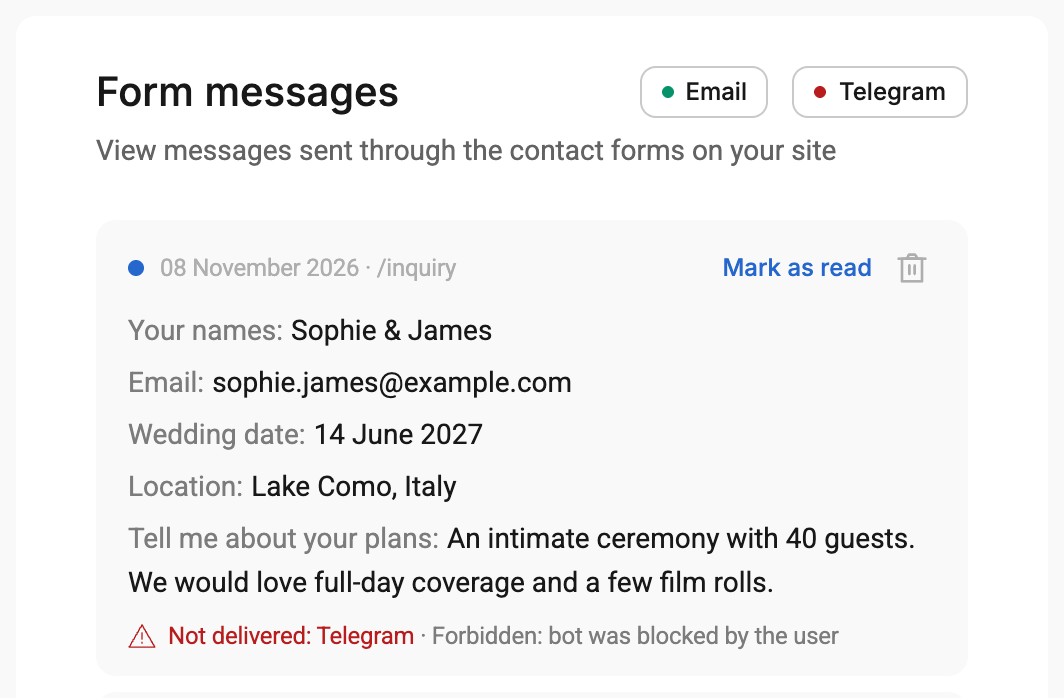
What to do about the most common reasons is covered in Messages don't arrive or you get spam.
Good to know
- Messages are kept and stay available even if the site is suspended because of the plan.
- There's no export to a spreadsheet and no statuses like “in progress” yet.
If messages don't show up, see Messages don't arrive or you get spam.